SQL Client Support
dbVisitor JDBC adapters can be loaded into SQL clients such as DataGrip and DBeaver to execute data-source commands and display tabular results. With metadata support, clients can also display databases, collections and fields.
The following screenshots show the Milvus driver in use:
- DataGrip
- DBeaver
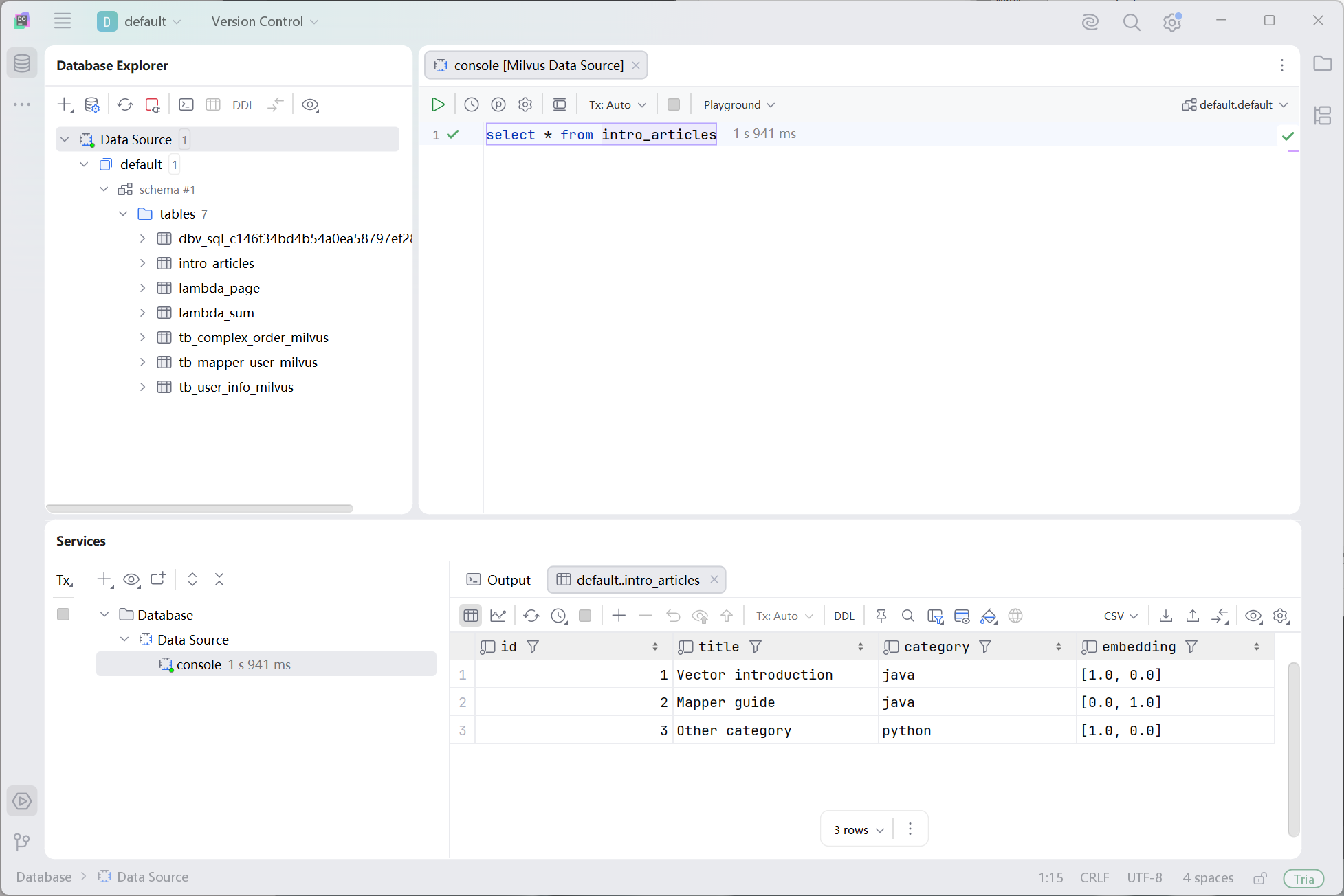
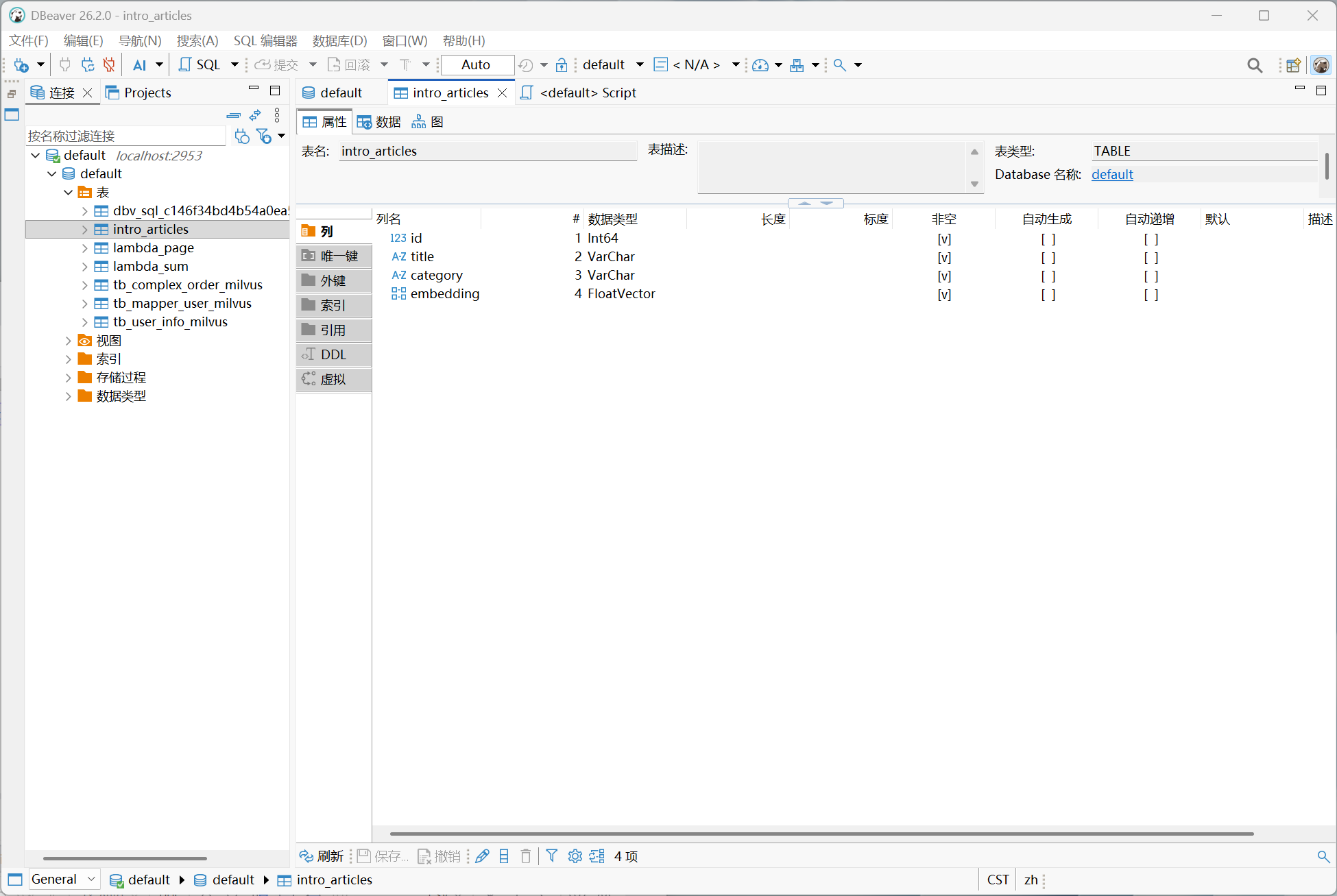
For installation and connection settings, see Milvus, Elasticsearch, MongoDB and Redis. The sections below cover implementation and validation requirements for custom adapters.
Driver Loading
The client loads net.hasor.dbvisitor.driver.JdbcDriver. Register the data-source adapter in META-INF/services/net.hasor.dbvisitor.driver.AdapterFactory.
- Provide an
aloneJAR with runtime dependencies for convenient loading. A regular JAR requires its runtime dependencies to be configured separately. - Merge SPI service files when packaging so both the JDBC driver and
AdapterFactorycan be discovered. - The client's driver runtime must meet the driver's Java requirement, currently Java 17 or later.
Keep-Alive and Validation
Clients may execute keep-alive SQL automatically. The Milvus driver handles these two categories separately:
| Command | Implementation requirement |
|---|---|
SELECT 1, SELECT 'keep alive' | Return one local row and column with the correct type, without calling the server |
PING | Make a lightweight server request; return PONG on success and throw an exception on failure |
Constant queries accommodate automatic client commands; they do not establish server availability. Use a read-only command such as PING that actually contacts the server for connection validation. Do not attach network probes to every constant query.
A new adapter should use a lightweight native request, without relying on application tables, scanning data or performing writes. The common layer currently does not implement Connection.isValid(); check whether the client can use a configurable validation command. See DataGrip's official connection options.
Connection Properties
Clients discover connection properties through JDBC's Driver.getPropertyInfo(). Declare supported keys in AdapterFactory.getPropertyNames():
@Override
public String[] getPropertyNames() {
    return new String[] {
        "server", "database", "user", "password", "connectTimeout"
    };
}
The common layer includes unset properties, preserves supplied values and filters out the internal adapterName property. Discovery must not open a database connection and should handle incomplete URLs and empty properties.
Connection settings accept both URL parameters and Properties; URL values take precedence. Configure them in DataGrip's Advanced tab or DBeaver's Driver properties. Use the client's authentication fields for passwords, not URL templates.
The common layer currently returns property names and supplied values. To display defaults, descriptions or dropdown options, extend the value, description and choices metadata in DriverPropertyInfo, keeping them consistent with actual connection behavior.
URL Templates
Provide ready-to-use templates and a complete URL. For example, with Milvus:
jdbc:dbvisitor:milvus://{host}:{port}/{database}\?consistencyLevel=Strong
jdbc:dbvisitor:milvus://{host}:{port}/{database}?consistencyLevel=Strong
jdbc:dbvisitor:milvus://127.0.0.1:19530/default?consistencyLevel=Strong
Template fields must match the adapter's URL parser, including whether the database belongs in the path or a query parameter. Change Host, Port and Database during validation, and check the generated URL and actual connection target. Configuration steps are documented by DataGrip and DBeaver.
Query Parameters
Connection properties and SQL placeholders are separate. When a client binds values through PreparedStatement, the common layer supplies them through AdapterRequest.getArgMap(). The adapter must pass them to the target database with the appropriate types.
try (PreparedStatement stmt = conn.prepareStatement(
        "SELECT id, title FROM intro_articles WHERE category = ? LIMIT 10")) {
    stmt.setString(1, "java");
    try (ResultSet rs = stmt.executeQuery()) {
        while (rs.next()) {
            System.out.println(rs.getLong("id") + ": " + rs.getString("title"));
        }
    }
}
Distinguish placeholders from question marks inside strings or comments, consume parameters in occurrence order, and check for missing values and unsupported types. Prefer native SDK binding. When command text must be generated, encode values for the target syntax rather than concatenating user input directly.
Client-Generated SQL
A successful console query does not prove that opening a table, filtering, sorting or editing data will work. Clients generate their own SQL, which must also fit the driver's supported syntax.
For example, DataGrip may generate the following query when opening a table:
SELECT t.* FROM intro_articles t;
The current Milvus driver does not support this table-alias form. Use the console instead:
SELECT * FROM intro_articles;
Validate table aliases, result aliases, identifier quoting, pagination and filters separately. Reject unsupported syntax explicitly rather than stripping aliases with string replacement. Do not describe query support as grid-editing support.
Metadata and Results
- Provide real databases, collections and fields through
MetadataSupportfor the object tree. Distinguish empty results from permission and network failures. - Supply accurate column names, types and nullability through
AdapterCursor, retaining the column structure even for empty results. - Keep capability declarations consistent with implementation. Use auto-commit when transactions are unavailable; do not advertise commit or rollback support.
- Release resources when result sets, statements and connections are closed. Define clear outcomes for timeouts, cancellation and disconnection.
See Adapter Limitations for common-layer boundaries and Architecture for extension points.
Validation Checklist
- Loading and setup: Load the JAR into a clean client configuration. Check driver discovery, the complete property list and URL templates;
adapterNamemust remain hidden. - Keep-alive and failures: Constant queries must not contact the server. Validation commands must succeed against a healthy service and fail during outages or network errors.
- Parameter binding: Cover quotes and question marks in strings, numbers, nulls, multiple placeholders and missing parameters.
- Metadata and results: Check the object tree, column types, empty results, query results and resource cleanup.
- Client actions: Test console execution, opening tables, pagination, sorting and filtering separately. Test generated write statements if editing is intended to be supported.
Offline regression tests cover driver behavior. Client compatibility also requires testing the actual JAR in the target DataGrip and DBeaver versions and recording the supported operations.